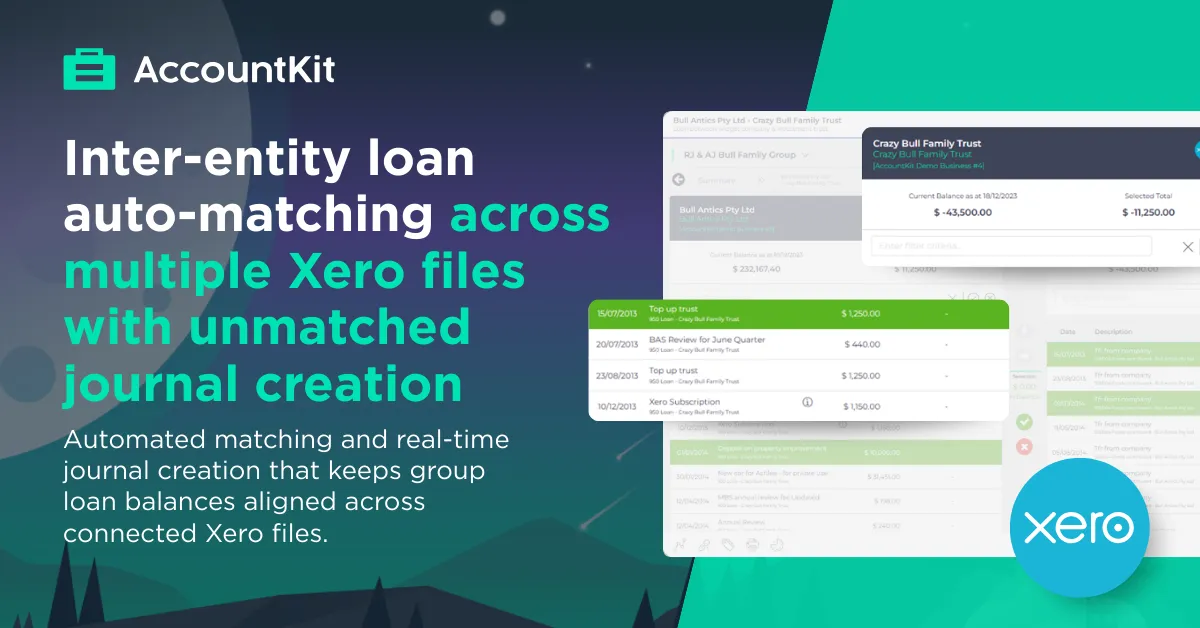
Inter-entity loans are common in Australian group structures. Operating entities fund investment trusts, . Headentities pay bills on behalf of their subsidiaries. Dividends, transfers, journals and reimbursements flow regularly. Each side records some of the obvious transactions in separate Xero files. Over time, balances start to misalign.
It centralises loan reconciliation across connected Xero organisations, matches opposing entries automatically and generates journals in bulk where differences exist. The result is continuous balance alignment across the group.
Centralising inter-entity loan reconciliation
The process begins by connecting each entity to its Xero organisation. Within the client record, the relevant Xero file is connected, syncing the relevant accounting data, ready for work to commence. The first sync captures full history. After that, regular updates bring in modified transactions only.
When creating a new inter-entity loan schedule, you start with selecting the two connected entities and the relevant loan accounts for each. Multiple loan accounts per entity pair can be included, such as multiple div7a loans, or partners funds accounts. A start date is recorded, usually from the last reconciled date, so the schedule reflects the current startingposition.
On creation, the tool verifies opening balances. If balances differ, the start date can be adjusted or an opening balance journal created directly. Once aligned, the reconciliation grid becomes the working environment.
Instead of moving between Xero tabs and exporting reports, both sides of the loan sit side by side in one view.
Matching transactions with precision
The reconciliation screen presents transactions in two columns, one for each entity. Balances appear at the top, showing current and reconciled positions. Visual cues make status clear. Green indicates a match. Orange shows reconciled items. Red flags exceptions.
Transactions can be selected individually or in groups. One-to-one and many-to-one matching are supported. When selected entries balance, they turn solid green. A simple click reconciles them, hiding them from the active grid and updating the balance leaving just those unreconciled entries visible.
Filtering by amount or narration assists with bulk selection and coding in bulk (like Xero Cash Coding). Reversals are recognised and handled logically. Matching becomes a structured workflow rather than a manual comparison exercise.
For firms managing frequent transfers across entities, this clarity saves significant time each month.
Generating journals for unmatched items
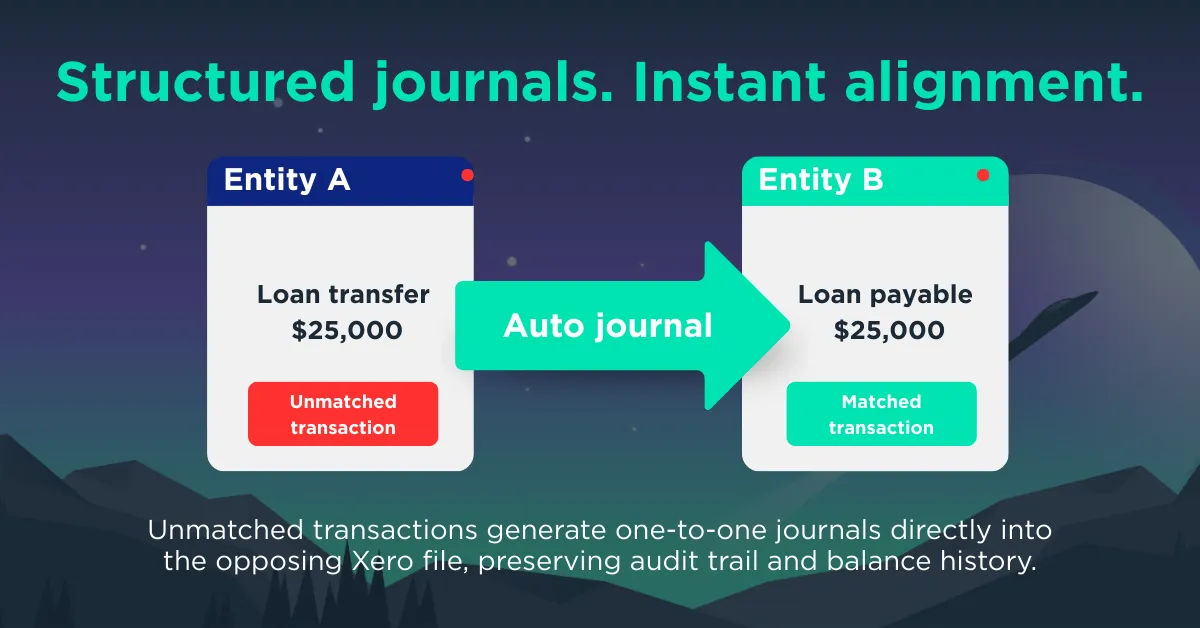
Timing differences and one-sided entries arise regularly in group structures. The tool addresses these through unmatched journal creation.
An unmatched transaction is selected from one side of the list. An arrow shows the direction of the proposed journal. A pop-up appears with debit and credit lines pre-filled based on the source transaction.
The accountant can assign accounts, tax codes and tracking categories. Narration can include the user name and a date reference, depending on practice settings. For similar items, coding can be copied across multiple unmatched transactions to streamline the process.
On confirmation, the journal posts directly to the target Xero file through the API. Each journal relates to a single transaction, maintaining a clear one-to-one audit trail. If a posting period is locked, the system highlights this immediately, prompting resolution within workflow.
The grid updates as soon as the journal is posted. The imbalance clears in real time.
Handling changes and maintaining audit integrity
Transactions sometimes change after reconciliation. If a transaction is edited or deleted in Xero, the tool highlights it as an exception in red for review.
Using the “Show Reconciled” toggle, reconciled items become visible again. An item can be un-reconciled with a click. Any related journals created through AccountKit are voided automatically, restoring the source transactions for review.
Each action records user and date. A clock icon displays activity history. Xero’s “History & Notes” section reflects journal entries, providing a transparent audit trail across systems.
For firms managing Division 7A loans or complex businessstructures, this traceability supports compliance and oversight.
Oversight across the entire group
The summary tab presents a matrix view of all inter-entity loans within a group. Entities appear on both axes, offering a visual snapshot of balances between each pair. A “Show entities with no loans” option allows expansion for full group visibility.
The “Balance at Date” feature provides a snapshot at quarter-end or EOFY. This supports reporting, partner review and compliance checks without additional manual work.
Because transactions sync nightly, the reconciliation view reflects current data. The workflow becomes part of the monthly routine rather than a year-end task, ideal for ongoing management reporting
A practical monthly example
Consider a parent company transferring funds to a subsidiary. The inter-entity loan schedule is set up from the last reconciled date. Xero transactions sync automatically.
During the month, dividend payments and transfers are matched in bulk. Where a payment appears on one side first, a journal is generated to align the second entity. The grid clears progressively.
At quarter-end, the “Balance at Date” confirms alignment. At year-end, balances already reflect continuous reconciliation. The audit history remains available for review or export.
Hours of manual reconciliation and matching were reduced to minutes of structured review.
Continuous control across multiple Xero files
Manual inter-entity loan reconciliation can consume significant time for each entity pair. AccountKit centralises visibility, applies intelligent matching and generates bulk journals where required. The process becomes scalable across small family groups and larger consolidated structures alike.
Balances stay aligned throughout the year. Division 7A monitoring improves. Partners gain a clear matrix view of exposures across the group.
For accounting and bookkeeping firms managing inter-entity loans across separate Xero files, structured reconciliation changes the experience entirely.
Would continuous, automated matching across your group entities create more confidence in your monthly and year-end balances? Try AccountKit and see how the Inter-Entity Loan Reconciliation Tool works in practice.