

Workflow
Powerful workflow management built for accountants and bookkeepers
Manage all your tasks in one place. Easily create recurring tasks to save time, set reminders and connect projects across any team, client or client group.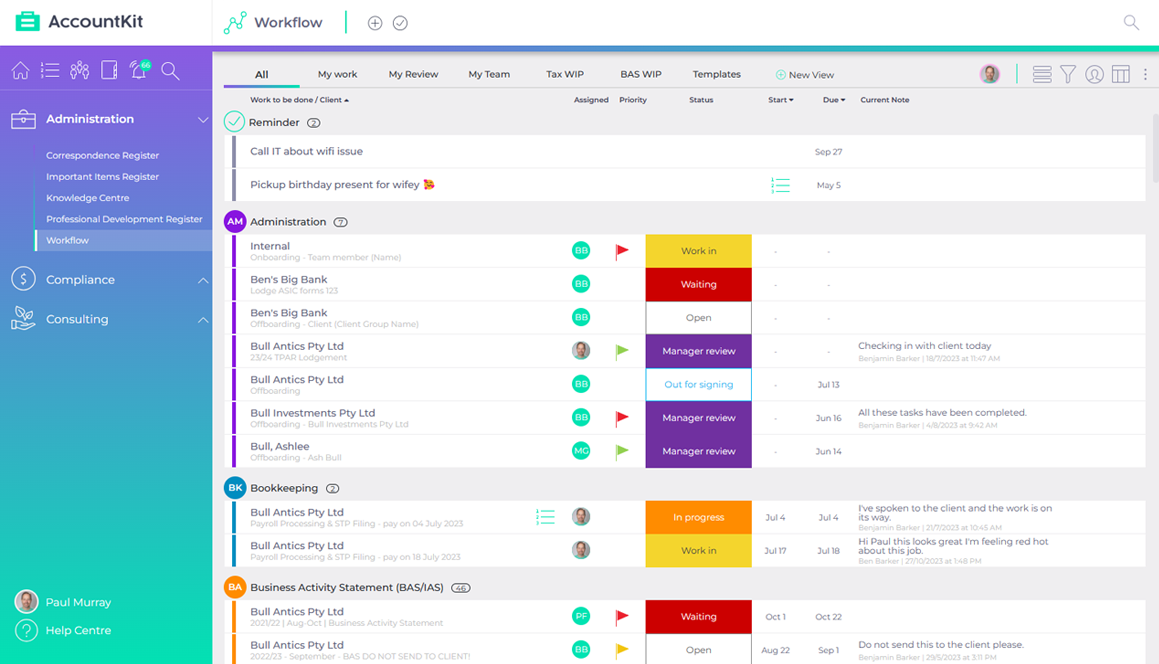
Powertip | Build custom views and share them with your team to get to what's most important to you.
Correspondence Register
Keep track of all client phone calls, file notes, meeting notes, SMS and emails in one place. Standardise with practice-wide templates.
Integrates with Gmail, Outlook, Slack, Microsoft Teams and more.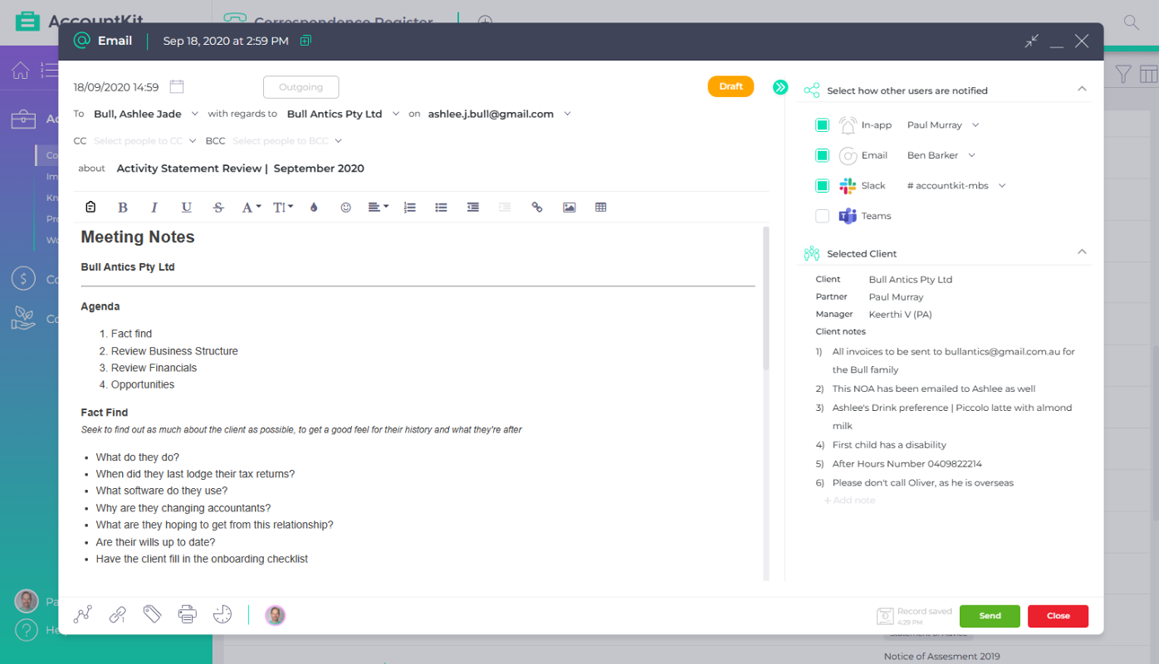
Powertip | Utilise text templates to standardise correspondence, calls and meeting notes.
Important Items Register
Track the status of all important items such as client wills, trust deeds and land title certificates or even spare computers and car park swipes.
No more guessing or embarrassing moments. Everything you need tracked in one place.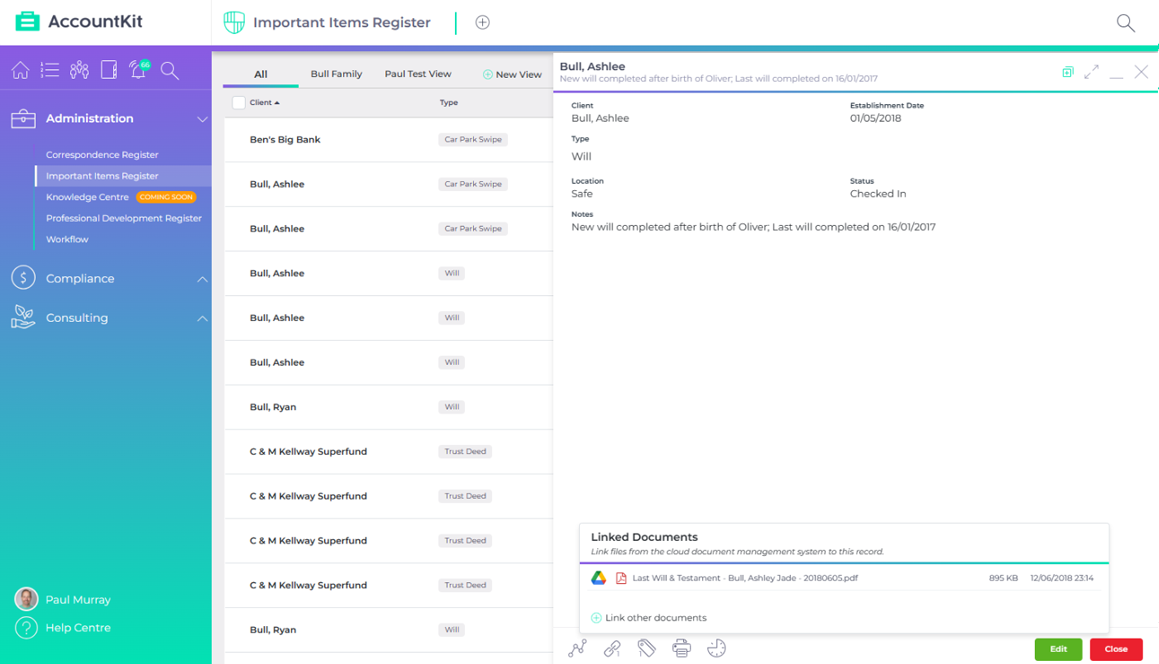
Powertip | Have a brain storm session to identify anything that is taken offsite and add to the list.
Knowledge Centre
Ensure your internal processes are captured and maintained in the same place that you do your work, boosting productivity through the retention of shared knowledge.
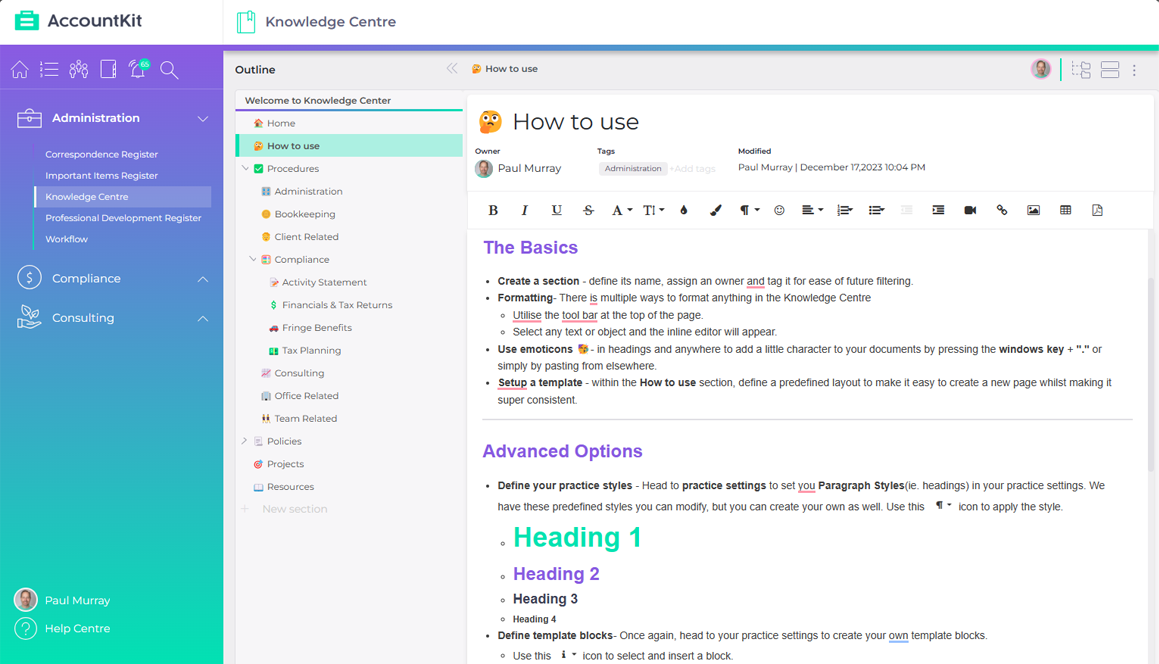
Powertip | Copy the link for any page and insert them into your workflow tasks. Presto! One click to get from workflow to the underlying process.
Professional Development Register
Easily track your team’s training and professional development with a centralised view of all CPD hours and course information.
Capture the certificates of confirmation along with the relevant notes for sharing with the rest of the team.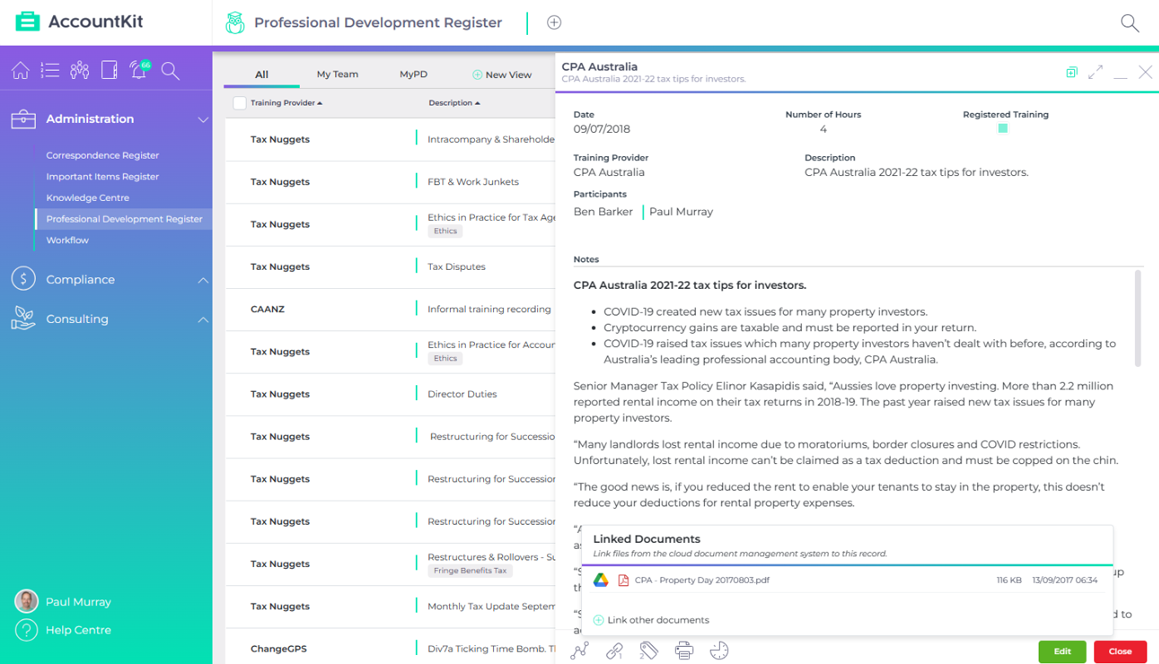
Powertip | filter by an individual user to get a summary of hours for the selected period.
Account Reconciler Tool
Reconcile any account like disbursements, suspense or clearing accounts on an ongoing basis and link back to source verifications. Click through to Xero or post adjustments all from the one place..png?width=1159&height=652&name=AccountKit%20-%20Screenshot%20-%20Account%20Reconciler%20(skinny).png)
Powertip | If you do management reporting, this ongoing account reconciliation combined with tools like equipment finance and inter-entity loan will bring your monthly verifications into one place.
Amortisation Scheduler
Track amortisation of any income or expenses such as prepayments or black whole expenditure in real-time. Build a schedule and automatically post entries to apportion values throughout the year.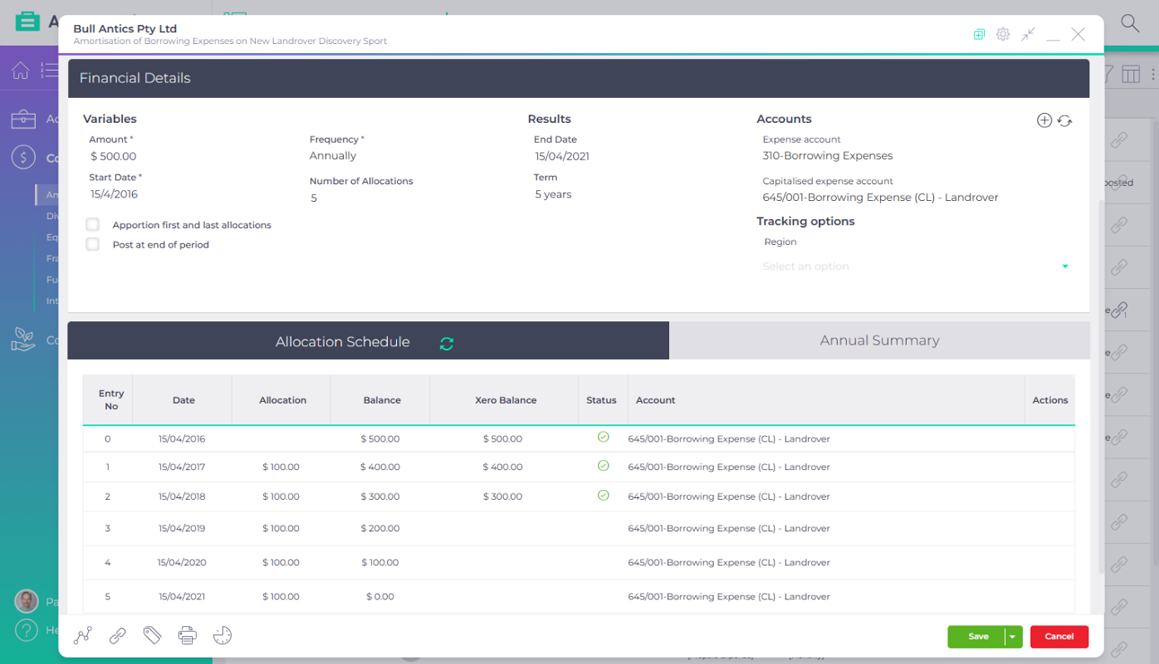
Powertip | Perfect for when you prepare interim reporting for clients.
Division 7a Tool
Centralise, simplify and streamline the creation of your Division 7a schedules. Automatically calculate interest and minimum repayments across any loan, and adjust easily.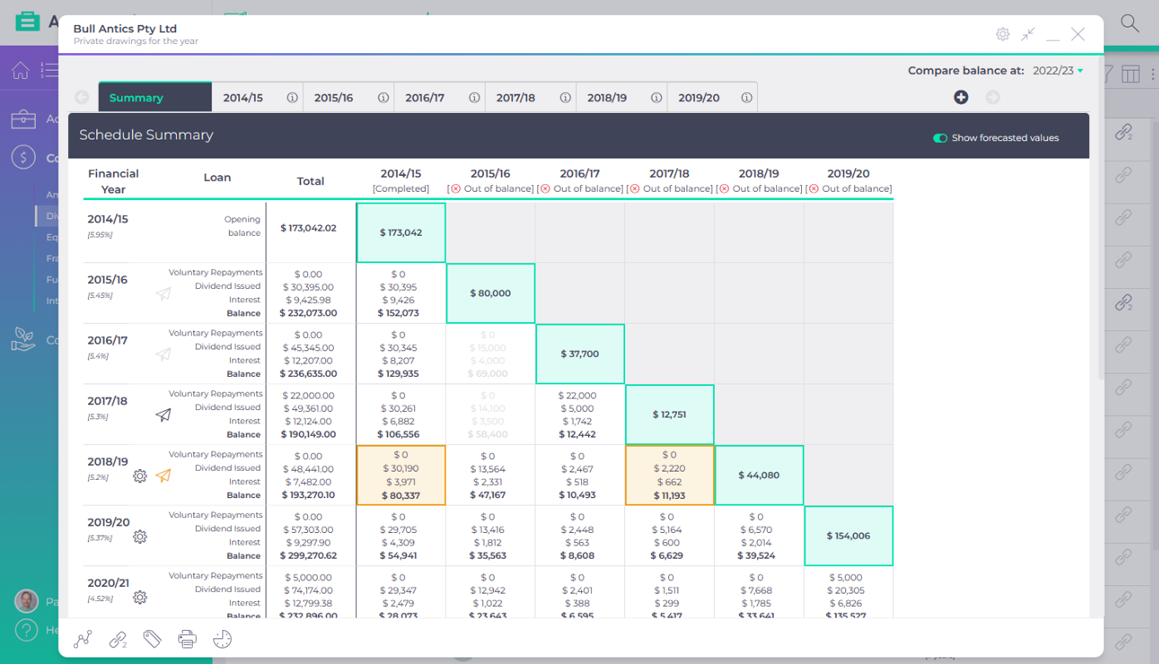
Powertip | Utilise the forecasting option to stratagise future dividend plans.
Equipment Finance
Track and automate equipment finance schedules in real-time. Build a finance schedule (either regular or irregular) and automatically post entries as well as reconcile throughout the year.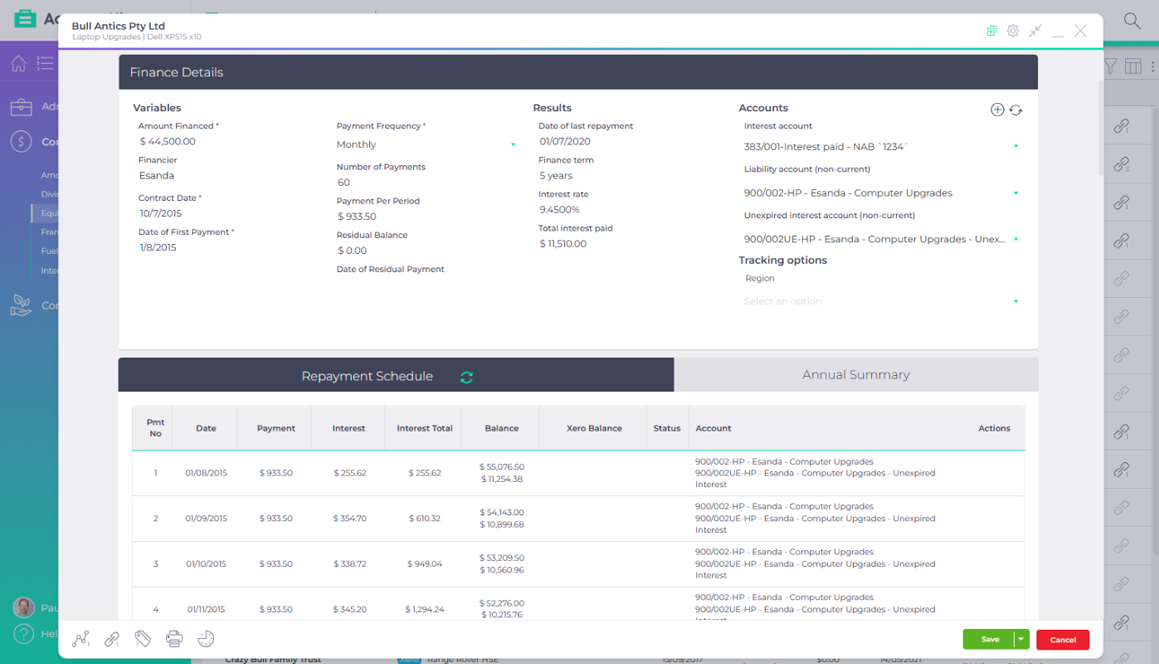
Powertip | Utilise cashflow committments report for preparing cashflows and delighting your clients.
Franking Account Register
Centrally track franking account registers across all your clients’ companies.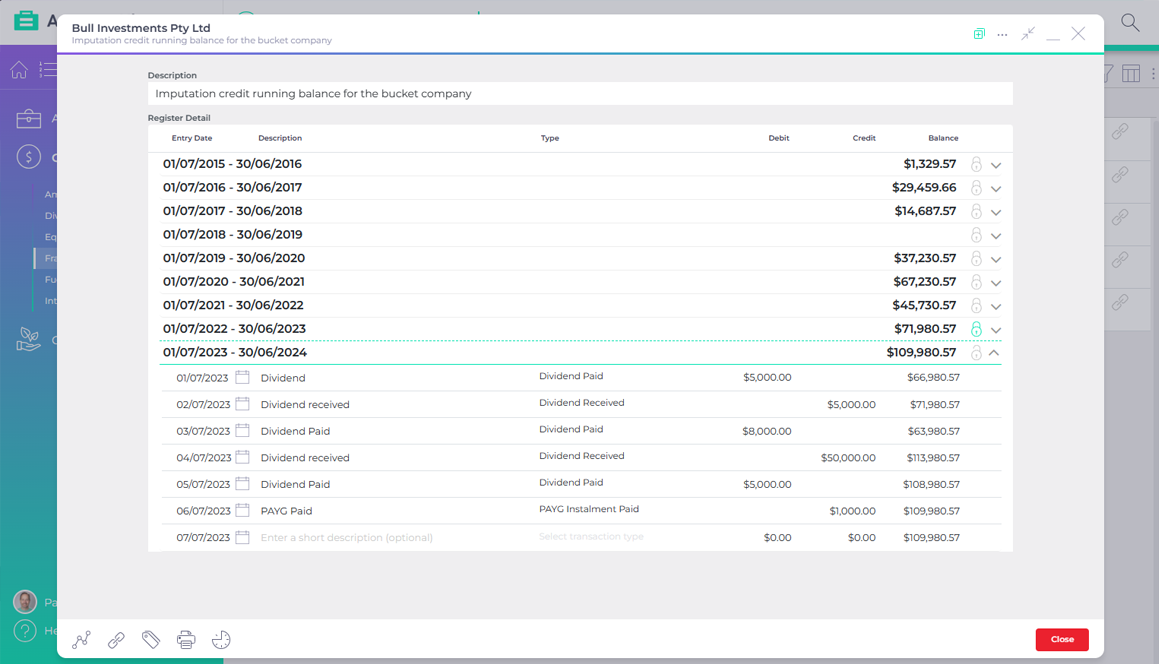
Powertip | Use in conjunction with Division 7a for determining the franking percentage
Fuel Tax Credit Calculator
Automate the calculation of your clients’ fuel tax credit claims and stay on top of all FTC claims in one place.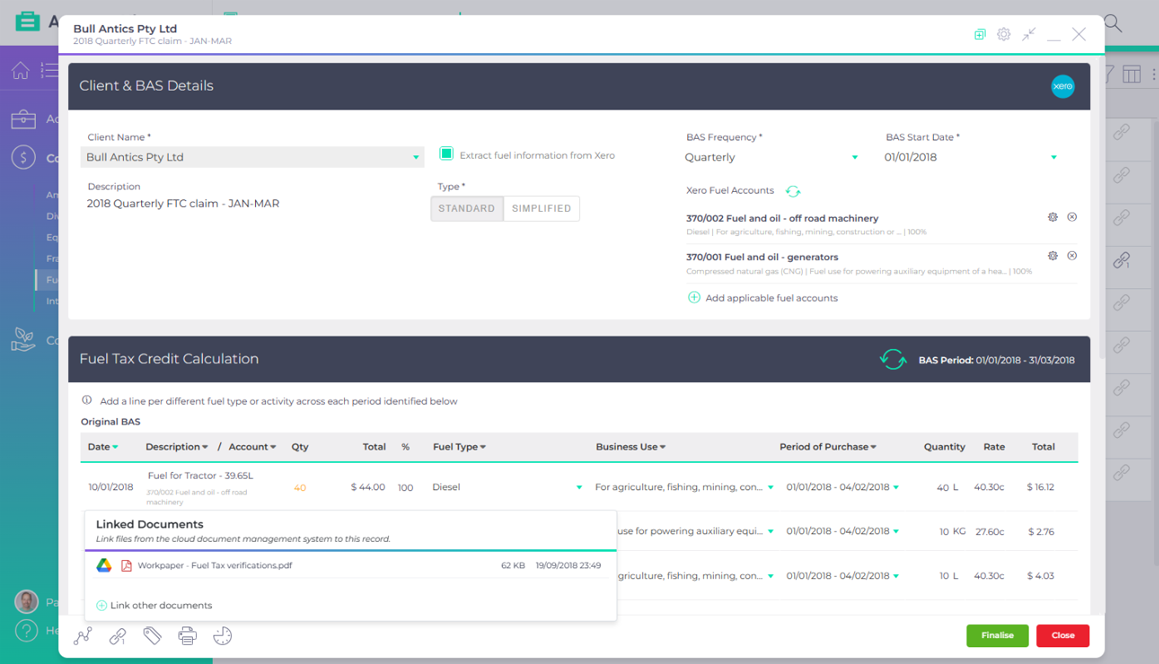
Powertip | Each period, simply roll over the schedule for quick and easy setup.
Inter-entity Loan Tool
Reconcile inter-entity loans between multiple accounts throughout the year. Automate matching of entries, direct click through to Xero for underlying transactions and journal the balance of unreconciled transactions.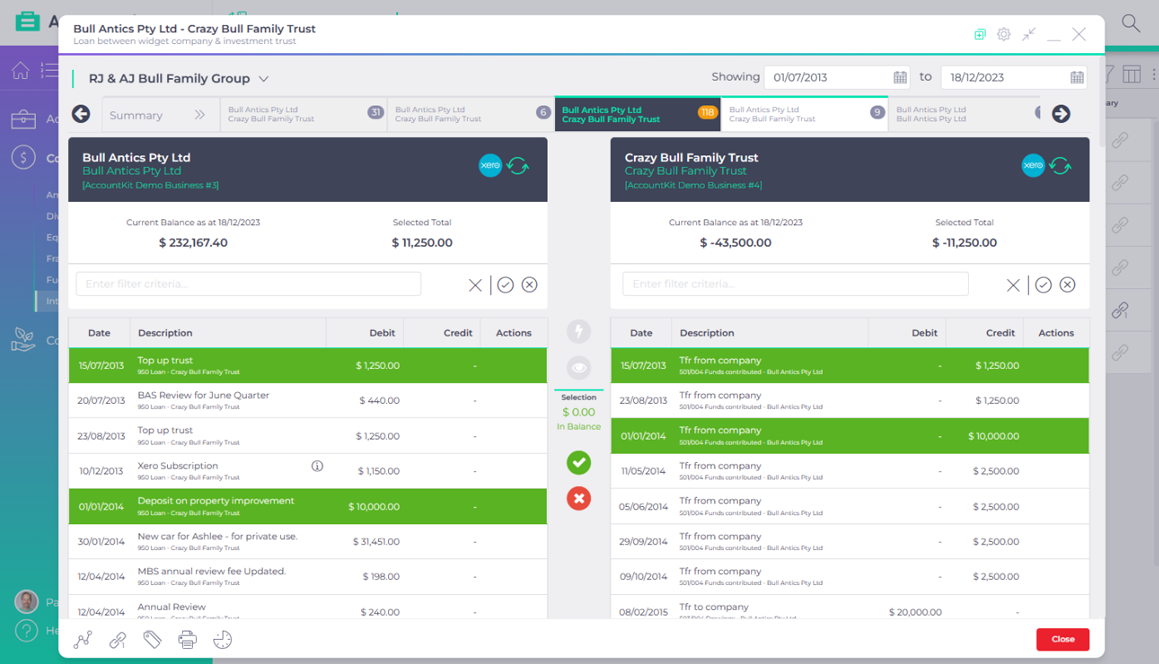
Powertip | Group your clients so you can see the loans across all entities in the group.
Client Mapping Tool
Create, share and update visual diagrams of client business structures, software, processes or any diagram at all for your clients.
Any changes made to client information syncs instantly with Xero Practice Manager.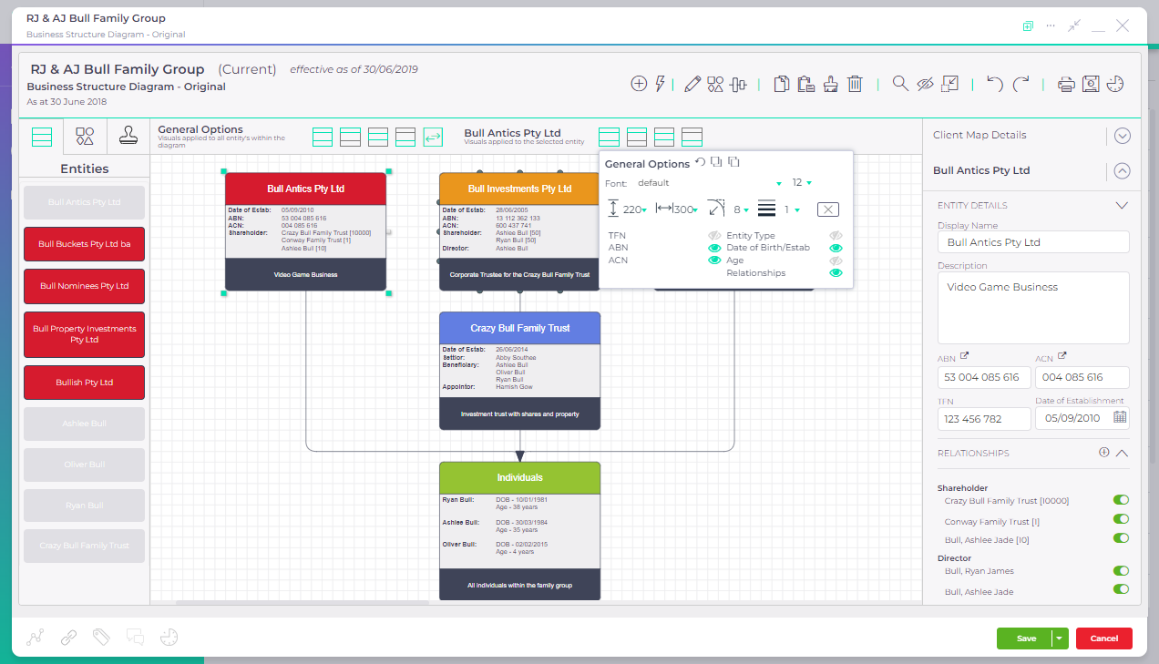
Powertip | Utilise proposed diagrams when you do not want to update your underlying client information.
Simple Loan Calculator
Show your clients what they can expect to pay over the life of a loan with a simple graph to communicate the outcome.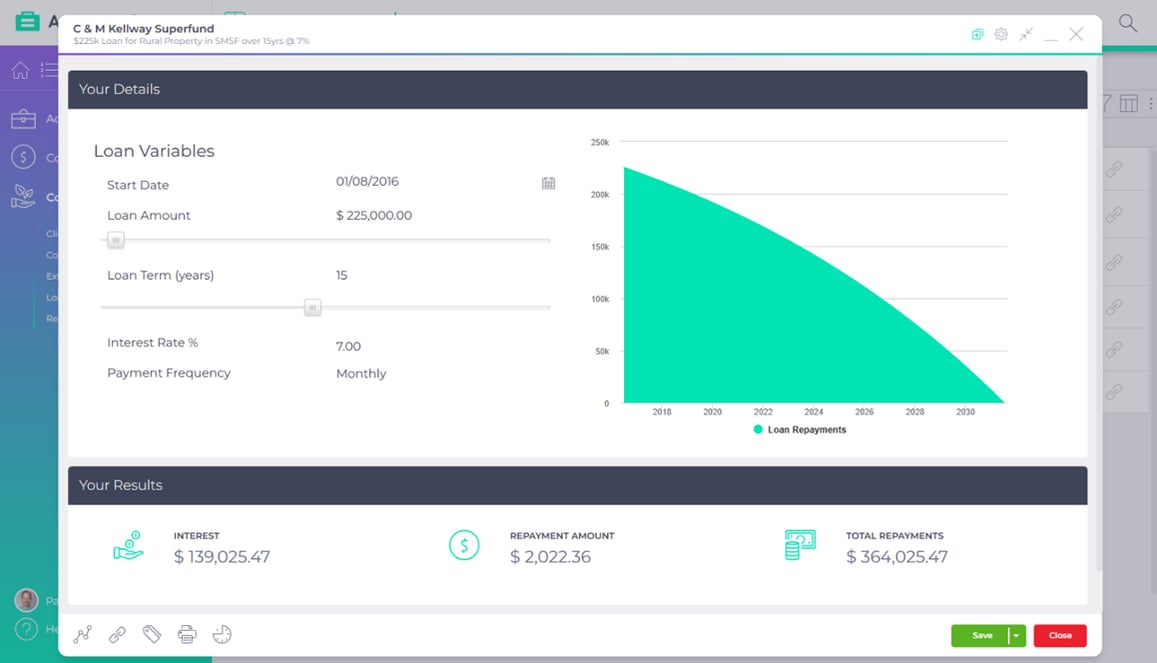
Powertip | Duplicate a schedule and create variations for discussion with the client.
Flexible Loan Calculator
Enter basic finance details, then choose a variable to solve for. Then build a schedule to work from based on the solved outcome.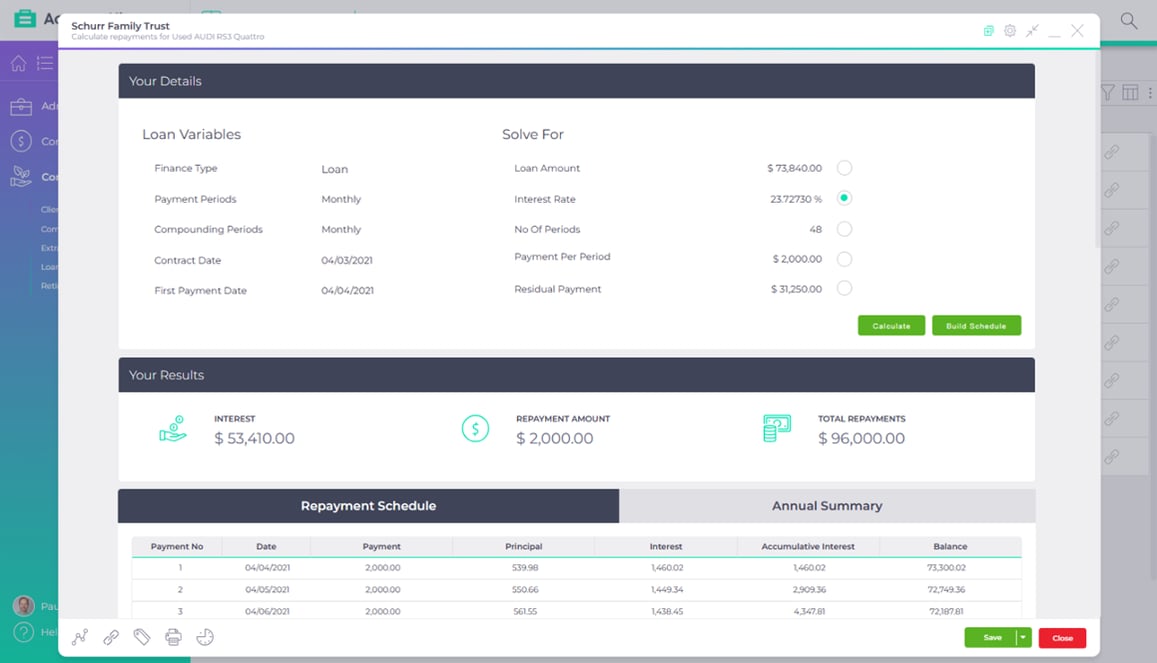
Powertip | Duplicate a schedule and create variations for discussion with the client.
Extra Loan Repayments
Show clients how much they could save (in time and interest) by making extra repayments on their home loan.
Generate a beautiful graph and provide to your client in your practice colours.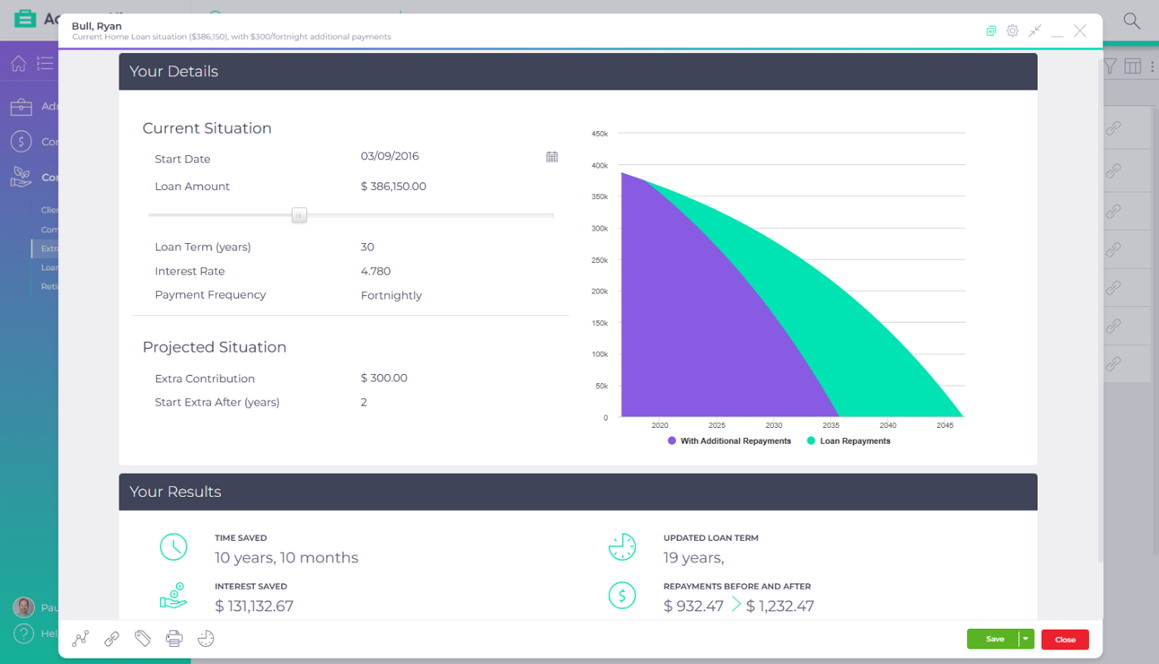
Powertip | Duplicate a schedule and create variations for discussion with the client.
Compounding Super
A simple tool you can use to start a conversation with your clients about investing in super, by visually demonstrating how they could benefit by making additional contributions over their working lifetime.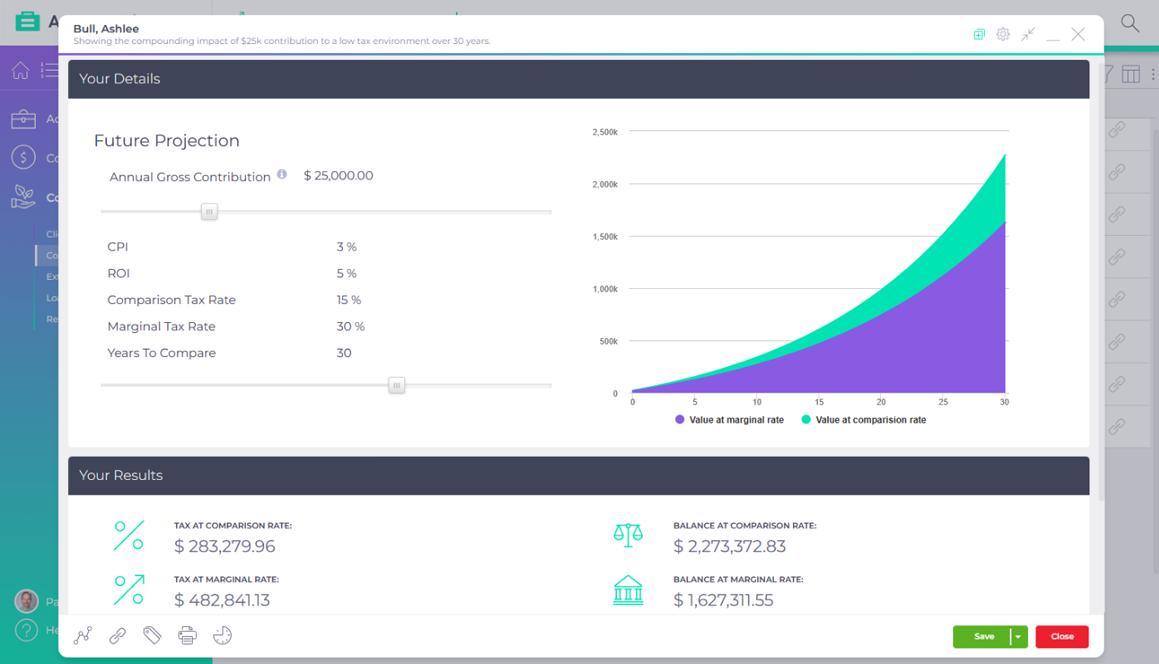
Powertip | Duplicate a graph and create variations for discussion with the client.
Retirement Calculator
Visualise clients’ retirement outcomes based on their individual circumstances, and start the conversation about broader financial planning opportunities.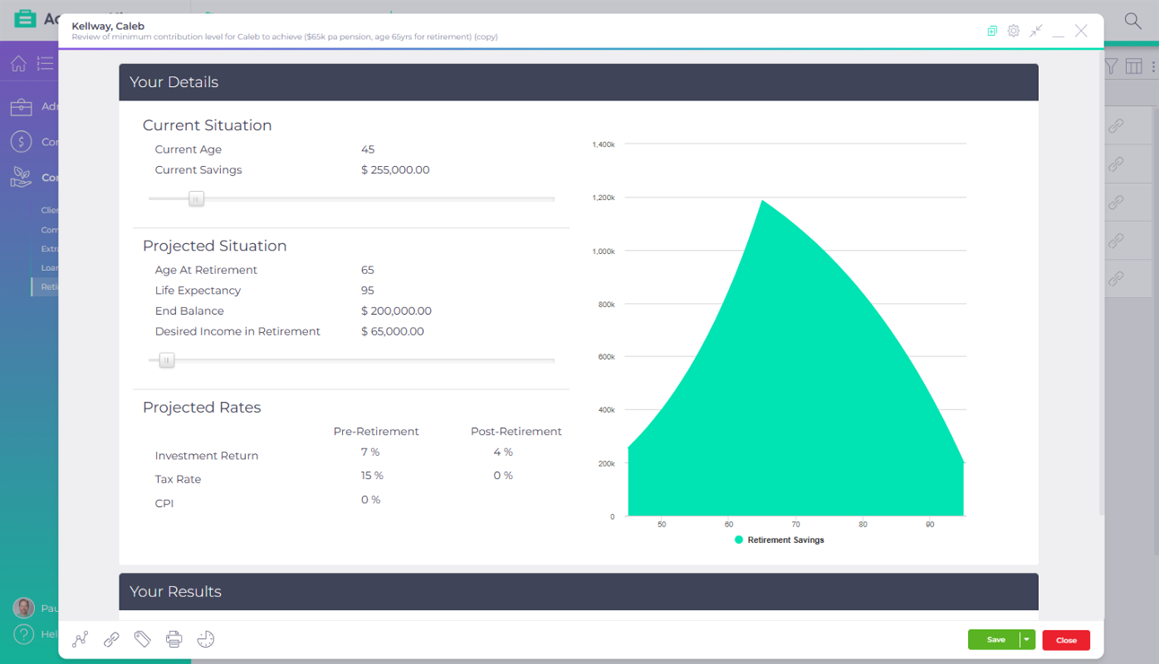
Powertip | Duplicate a graph and create variations for discussion with the client.

1. Sign up for a FREE 14-day trial
Create your account and import your clients.
2. Customise your AccountKit experience
Add your practice’s colours and logo to make AccountKit your own.

3. Shift your practice into high gear
See for yourself how AccountKit’s tools give you the power to perform.