Flexible loan calculator
Solve for the missing loan figure, then build the schedule
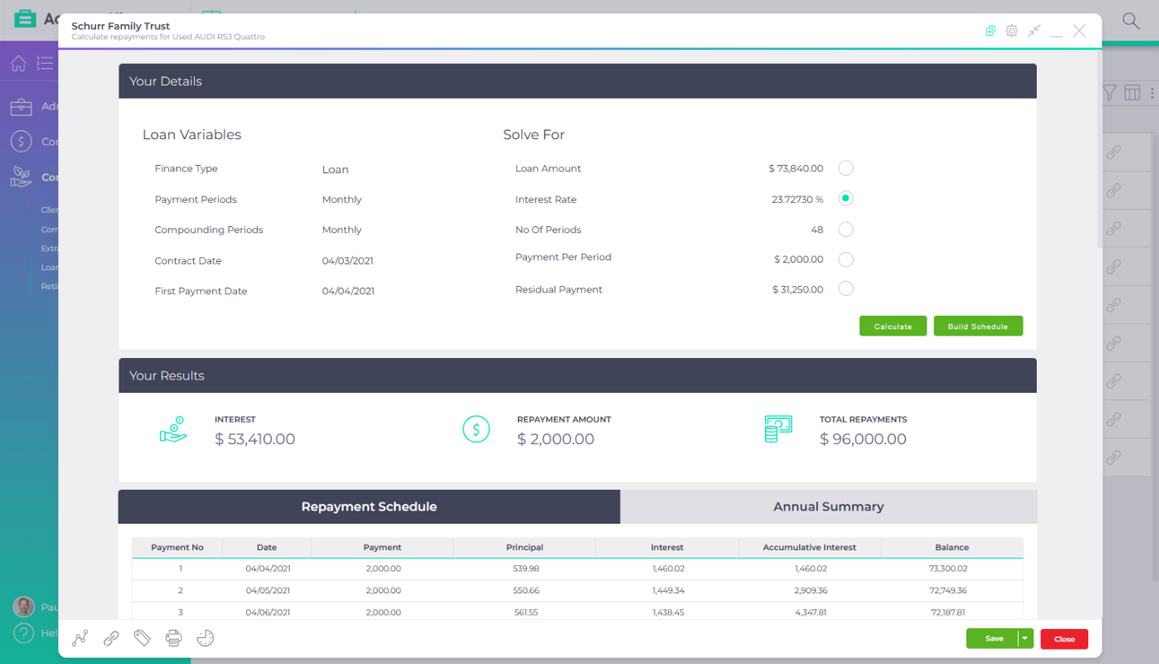
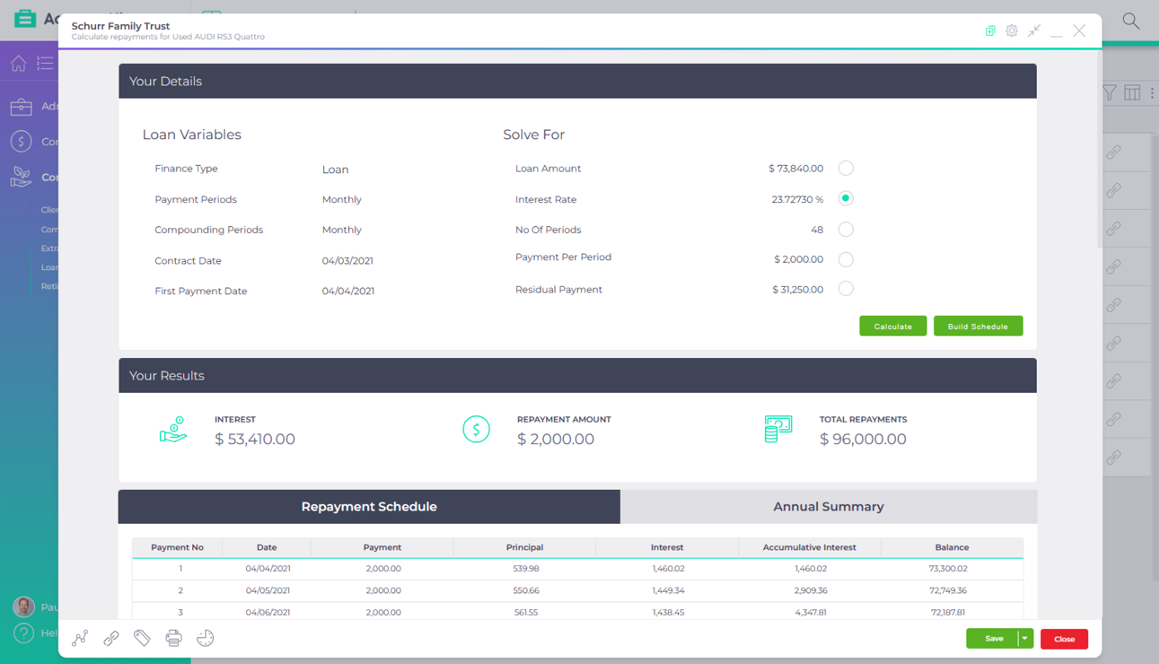
Enter the loan figures you know and choose the one to solve for: the amount, interest rate, number of periods, payment or residual. The flexible loan calculator works it out and builds a repayment schedule with a summary for each financial year.
Included in the base subscription

Published AccountKit product screenshot; the interface may have changed since capture.
What goes wrong today
The contract doesn’t state the rate
A finance agreement gives the amount, the repayments and the balloon, but not the interest rate you need for the accounts.
Year end needs a schedule, not one figure
Reconciling a loan for the tax work means every repayment split by financial year, which a one-line calculator doesn’t give you.
Inside the tool
Start with the paperwork
Step through a sample scenario. It shows how the calculator works, not a lending quote.
Selected scenario 01
Known inputs
Set the payment and compounding periods, the start date and the first payment date, then enter what the contract tells you.
Sample interface and values. This illustration does not calculate a loan, super balance or retirement outcome, and is not financial advice.
The missing figure becomes the question
Selected scenario 02
Solve
Pick the figure to solve for and press Calculate. More often than not, it’s the interest rate.
Sample interface and values. This illustration does not calculate a loan, super balance or retirement outcome, and is not financial advice.
The answer and a summary appear together
Selected scenario 03
Schedule
Build the full repayment schedule, then switch to the annual summary by financial year. Export either to Excel or PDF.
Sample interface and values. This illustration does not calculate a loan, super balance or retirement outcome, and is not financial advice.
A schedule to reconcile the loan at year end
Interactive demonstration with sample data, based on the AccountKit interface.
Who it’s for
For the loans you have to reconcile
Accountants preparing year-end tax work for clients with loans or finance, and advisers checking the numbers on a deal before the client signs.
How often it comes round
Whenever a loan is taken out, and again at year end when its balance needs reconciling.
- New finance
- Solve for the rate from the contract figures.
- At year end
- Use the annual summary to reconcile the loan.
- For the file
- Export the schedule to Excel or PDF.
Questions
What practices ask about the flexible loan calculator
Which loan figures can the flexible loan calculator solve for?
Any one of the loan amount, the interest rate, the number of periods, the payment per period and the residual balance.
Does it handle a balloon or residual payment?
Yes. Enter the residual balance due at the end of the loan, or choose it as the figure to solve for.
Can I export the loan schedule?
Yes. Export it to Excel or save a PDF from the action menu, ready for the year-end work papers.
Make it your practice
Work out the missing figure on your next loan
Start a free 14-day trial and solve the interest rate on a client’s finance contract, or book a demo to see the calculator with the team.