Simple loan calculator
Show a client the repayments before they borrow
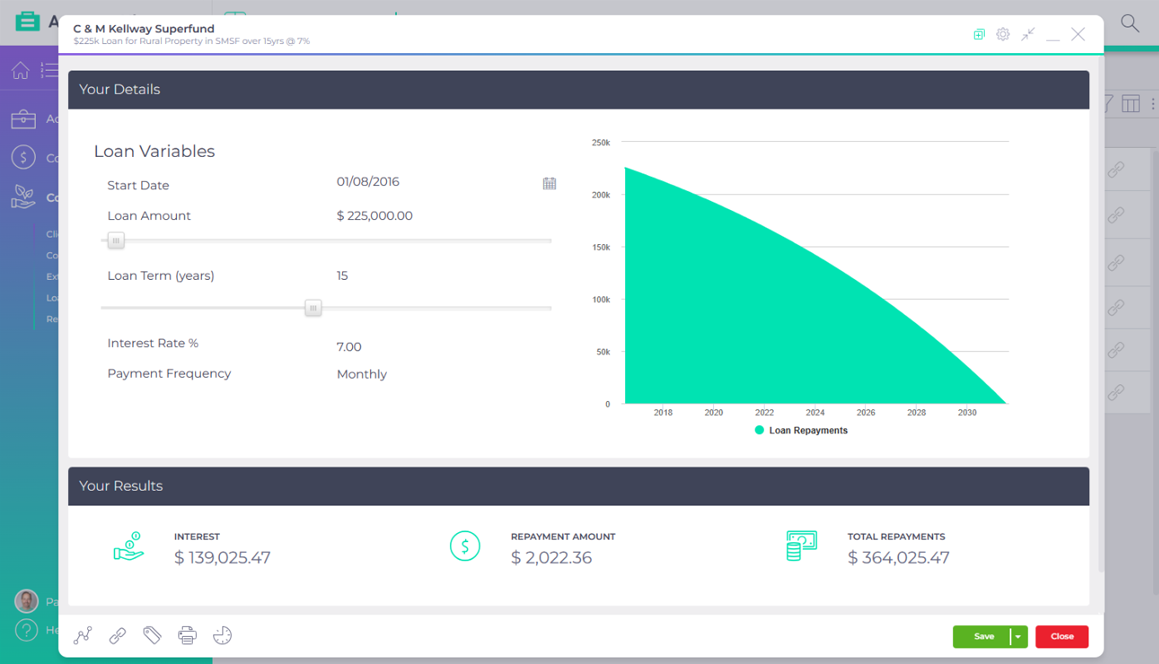
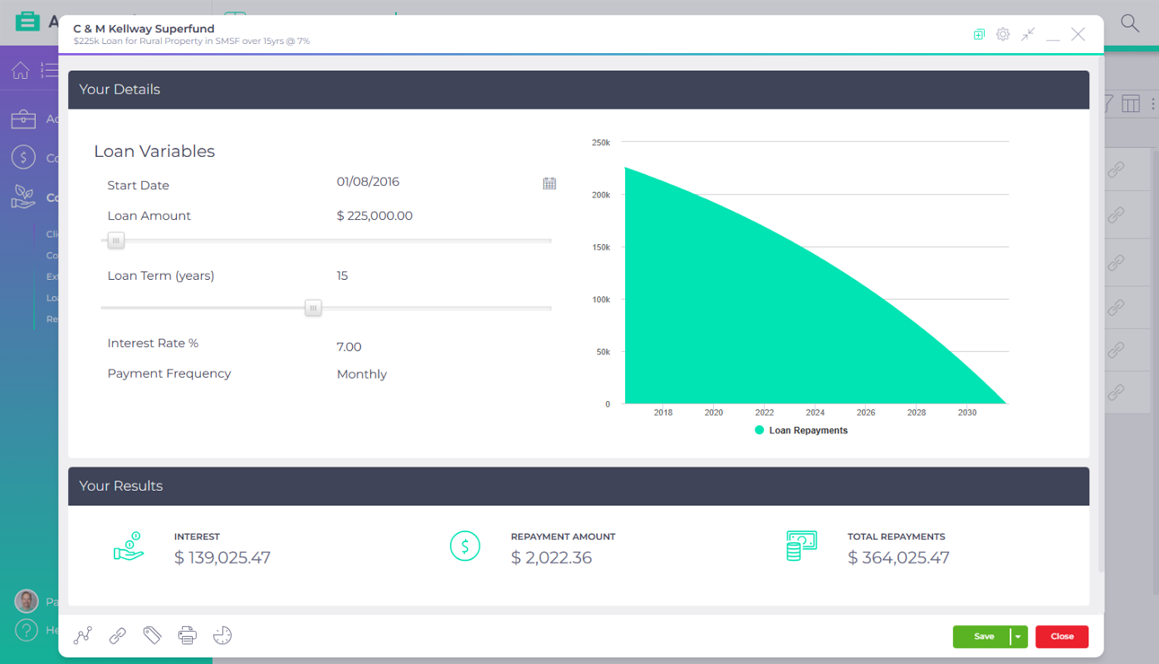
Enter the start date, amount, term, rate and payment frequency, and the simple loan calculator shows the repayment, the total interest and how the principal comes down, as a graph you can talk a client through.
Included in the base subscription

Published AccountKit product screenshot; the interface may have changed since capture.
What goes wrong today
The repayment hides the cost
Clients compare loans on the regular repayment, and the total interest over the term gets missed.
A spreadsheet doesn’t work across the table
Working a loan out live in Excel leaves the client watching formulas and taking nothing away.
Inside the tool
A loan explained over its life
Step through a sample loan. The figures are illustrative, not a lending quote or advice.
Selected scenario 01
Loan setup
Enter the start date, loan amount, term in years, interest rate and payment frequency. Save it against the client to come back to, or cancel if it’s a one-off.
Sample interface and values. This illustration does not calculate a loan, super balance or retirement outcome, and is not financial advice.
The assumptions are on screen
Selected scenario 02
Repayments
The calculator works out the repayment amount, the total interest and the total repaid over the life of the loan.
Sample interface and values. This illustration does not calculate a loan, super balance or retirement outcome, and is not financial advice.
The client sees the cost, not only the repayment
Selected scenario 03
Client view
The graph shows the principal being paid down over the term. Save it as a PDF to email or add to a client report.
Sample interface and values. This illustration does not calculate a loan, super balance or retirement outcome, and is not financial advice.
The client has something to take home
Interactive demonstration with sample data, based on the AccountKit interface.
Who it’s for
For the meeting before a client borrows
Accountants and advisers helping a client think through new finance, showing indicative repayments the way a bank would. Pair it with the extra loan repayments calculator to show what paying more would save.
How often it comes round
Whenever a client is weighing up a loan.
- Before they borrow
- Show the repayment and the total interest.
- In the meeting
- Talk the client through the graph.
- Afterwards
- Send the PDF or add it to their report.
Questions
What practices ask about the simple loan calculator
What’s the difference between the simple and flexible loan calculators?
The simple loan calculator is for client meetings where every figure except the repayment is known. The flexible loan calculator solves for whichever figure is missing and builds a full repayment schedule.
Can I save a loan calculation against a client?
Yes. Choose the client and add a short description when you create it. Choose cancel instead if you don’t need to keep it.
How do I give the client a copy?
Choose Save PDF from the action menu. Depending on your browser, the PDF opens in a new tab or downloads.
Make it your practice
Take the loan conversation into your next meeting
Start a free 14-day trial and run a client’s next loan through the calculator, or book a demo to see all six consulting tools.