Retirement calculator
Make retirement planning a clearer conversation
Explore possible outcomes from a client’s circumstances and use the result to guide a broader planning discussion.
Included in the base subscription
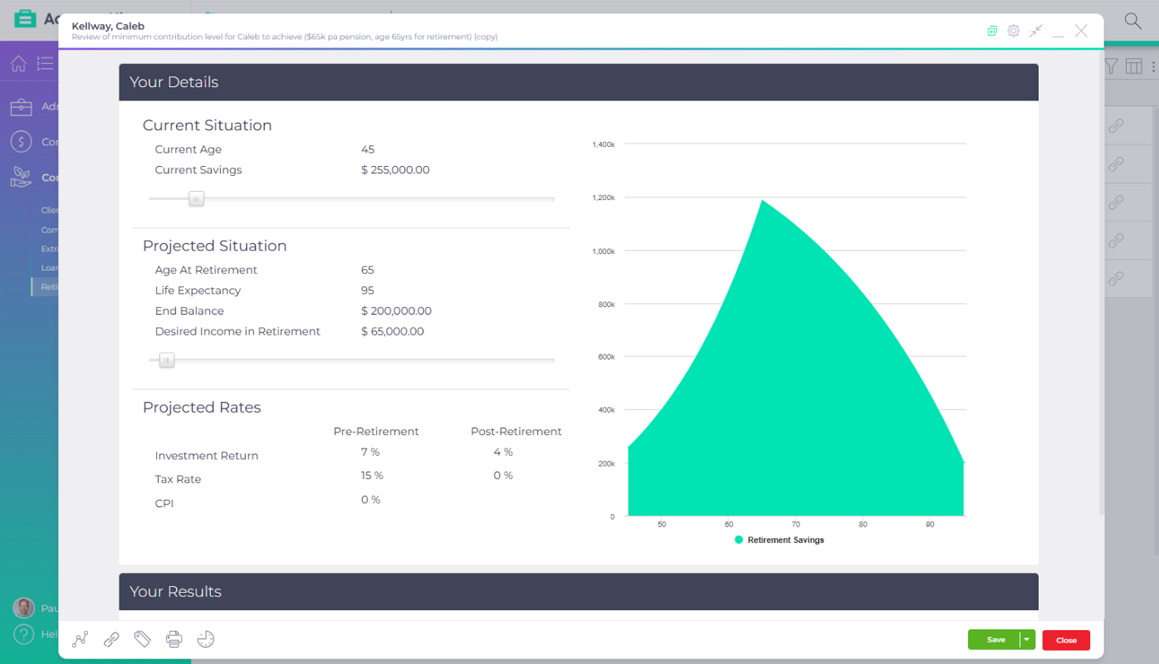
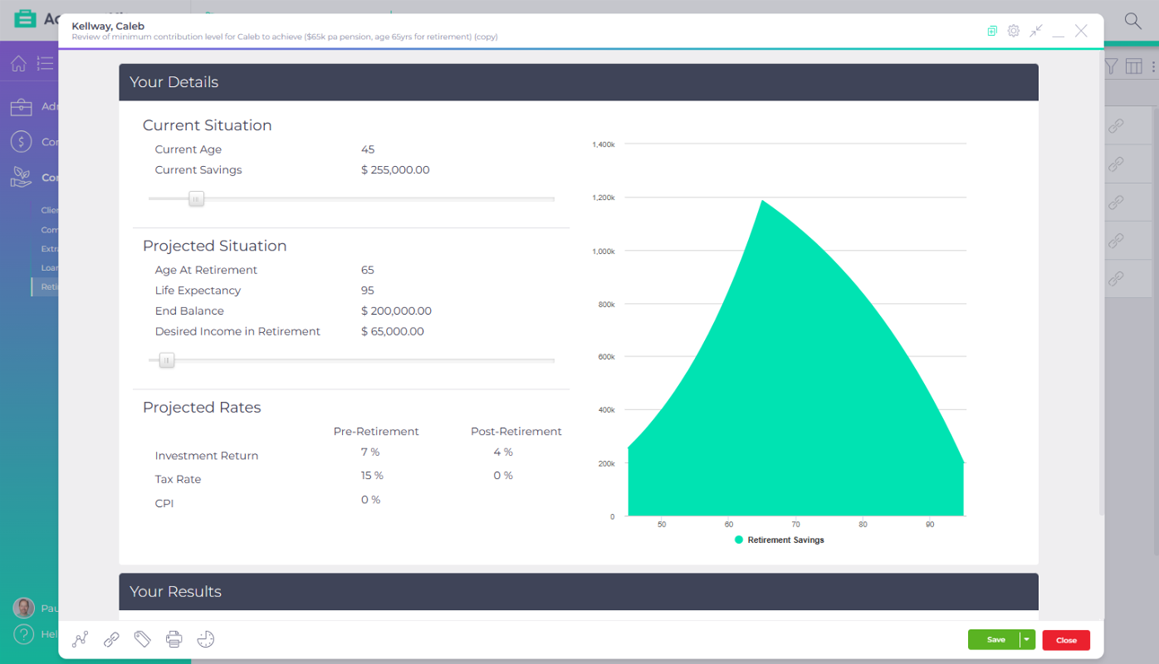
Published AccountKit product screenshot; the interface may have changed since capture.
Inside the tool
See the questions behind an outcome
Illustrative workflow only. An actual projection depends on the client’s inputs and assumptions.
 Retirement calculatorInteractive preview · sample data
Selected scenario 01
Today
Start with the client’s present position.
Discuss the assumptions before exploring an outcome.
Sample interface and values. This illustration does not calculate a loan, super balance or retirement outcome, and is not financial advice.
An agreed starting point.
Selected scenario 02
Future
Explore retirement timing and income needs.
Discuss the assumptions before exploring an outcome.
Sample interface and values. This illustration does not calculate a loan, super balance or retirement outcome, and is not financial advice.
Make the assumptions discussable.
Selected scenario 03
Next step
Use the illustration to identify further advice questions.
Discuss the assumptions before exploring an outcome.
Sample interface and values. This illustration does not calculate a loan, super balance or retirement outcome, and is not financial advice.
A conversation, not a promise.
Interactive demonstration with sample data, based on the AccountKit interface.
Make it your practice
Put this tool to work with your clients
Start a free 14-day trial with your own client list, or see this workflow with the AccountKit team.